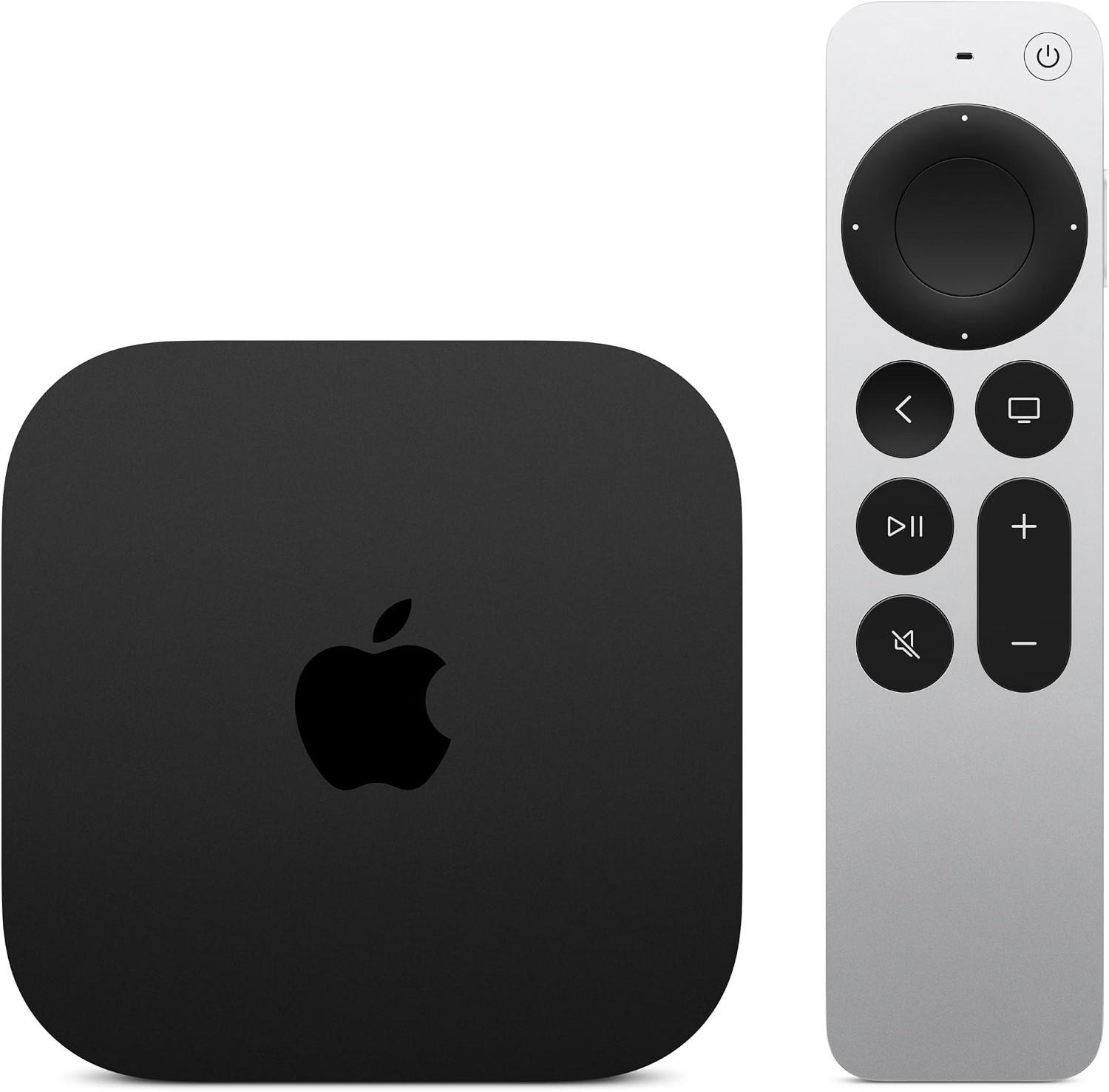
There is a new Apple TV 4K. The 4th generation, introduced in 2026, runs on the A19 chip and comes with a new Siri Remote. We also stock the 3rd generation from 2022, which costs less and streams the same picture. This guide explains what the newer one adds, and who should pay for it.
The two side by side
The specification as it appears on our product pages:
| Apple TV 4K, 4th generation | Apple TV 4K, 3rd generation | |
|---|---|---|
| Year | 2026 | 2022 |
| Chip | A19 | A15 Bionic |
| Storage | 128GB | 128GB |
| Video | 4K at up to 60 fps, Dolby Vision, HDR10, HDR10+, HLG | 4K at up to 60 fps, Dolby Vision, HDR10, HDR10+, HLG |
| Audio | Dolby Atmos, Dolby Digital Plus 7.1, Apple Lossless, FLAC | Dolby Atmos, Dolby Digital Plus 7.1, Apple Lossless, FLAC |
| Ports | HDMI 2.1 with eARC, Gigabit Ethernet | HDMI 2.1 with eARC, Gigabit Ethernet |
| Wi-Fi | Wi-Fi 7 | Wi-Fi 6 |
| Bluetooth | Bluetooth 6 | Bluetooth 5.0 |
| Microphones | Three microphone array with voice isolation | None in the box |
| Remote | Siri Remote (4th generation), USB-C, Find My | Siri Remote (3rd generation), USB-C |
| Smart home | Thread, for HomeKit and Matter | Thread |
Prices
What stays the same
The picture and the sound. Both stream 4K at up to 60 frames a second in Dolby Vision and HDR10+, both play Dolby Atmos, both have 128GB of storage, and both connect through HDMI 2.1 with eARC.
Both have a Gigabit Ethernet port as well as Wi-Fi, both have the power supply built in, and both work as a hub for Thread smart home accessories.
On the same TV, playing the same film, you will not see a difference between them.
What the 4th generation adds
The A19 chip
The A19 is a much newer chip than the A15 Bionic. You notice it in how quickly apps open and in games. A streaming box is something people keep for years, and a newer chip is the best way to make sure it still feels quick at the end of them.
Wi-Fi 7 and Bluetooth 6
Wi-Fi 7 is the newest Wi-Fi standard. If your router supports it, the connection is faster and steadier, which matters for 4K streaming when the box is not plugged into Ethernet. Bluetooth 6 is the newer standard for the wireless headphones and game controllers you pair with it.
Microphones in the box
The 4th generation has a three microphone array with voice isolation built into the Apple TV itself. The 3rd generation listens only through the microphone in its remote.
A remote you can find
The new Siri Remote (4th generation) charges over USB-C, like the old one, and works with Find My. If your remote spends its evenings down the side of the sofa, this is the feature you will use most.
Which to buy
Buy the 4th generation if you are buying your first Apple TV, you want it to last as many years as possible, your router has Wi-Fi 7, or you lose remotes.
Buy the 3rd generation if you want the Apple TV picture and sound for less. It plays exactly the same 4K Dolby Vision and Dolby Atmos, and for a second TV in a bedroom it is all most people need.
If you already own a 3rd generation, keep it. It does everything that matters, and the differences are not worth replacing a box that works.
Getting the best from Apple TV
- Use Ethernet where you can. A cable to the router is the steadiest way to stream 4K, whichever model you choose.
- Buy a good HDMI cable. It is sold separately. Choose one rated for 4K HDR.
- Check your internet speed. 4K streaming needs a fast, steady connection; with a slower one, the apps step down to a lower resolution on their own.
Power surges are worth guarding against too. The power supply is inside the Apple TV, so a surge protector between the wall and the box is cheap insurance.
Buying from Redwhale
We stock both Apple TV 4K models at our Ikeja store and deliver nationwide. Every unit is tested before it reaches the shelf, and purchases carry a 15 day return policy.
Browse Apple TV, or pair it with a HomePod for room filling sound.
Every unit is tested before it leaves the counter and backed by our 15 day return policy. Visit us in Ikeja, Lagos or order online for delivery.